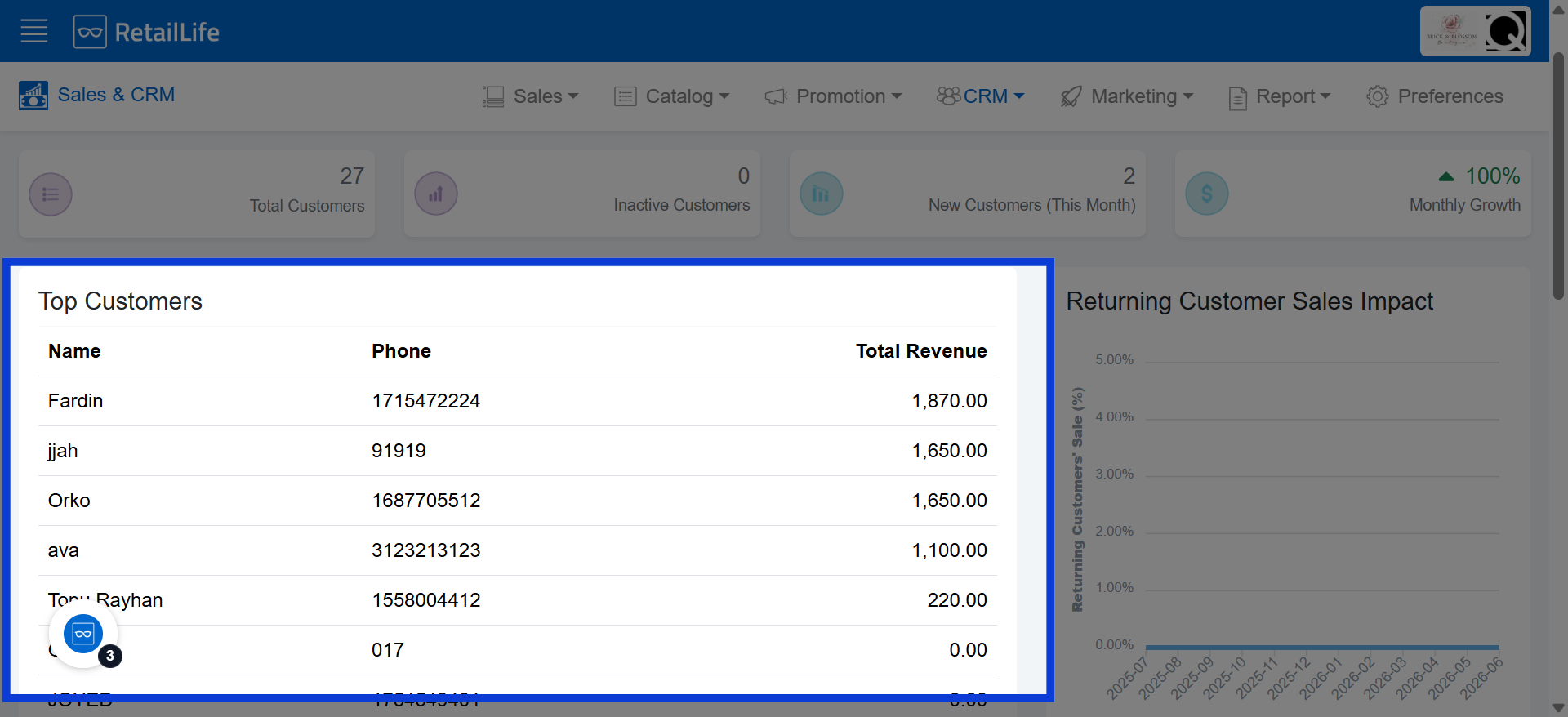
How to Analyze Top Customers in RetailLife Business Portal
This tutorial shows you how to find your top customers in the Business Portal. You can use this
information to analyze customer behavior, understand buying habits, track customer value, and
improve your marketing and retention strategies.
Go to
retaillife.quicklyservices.com
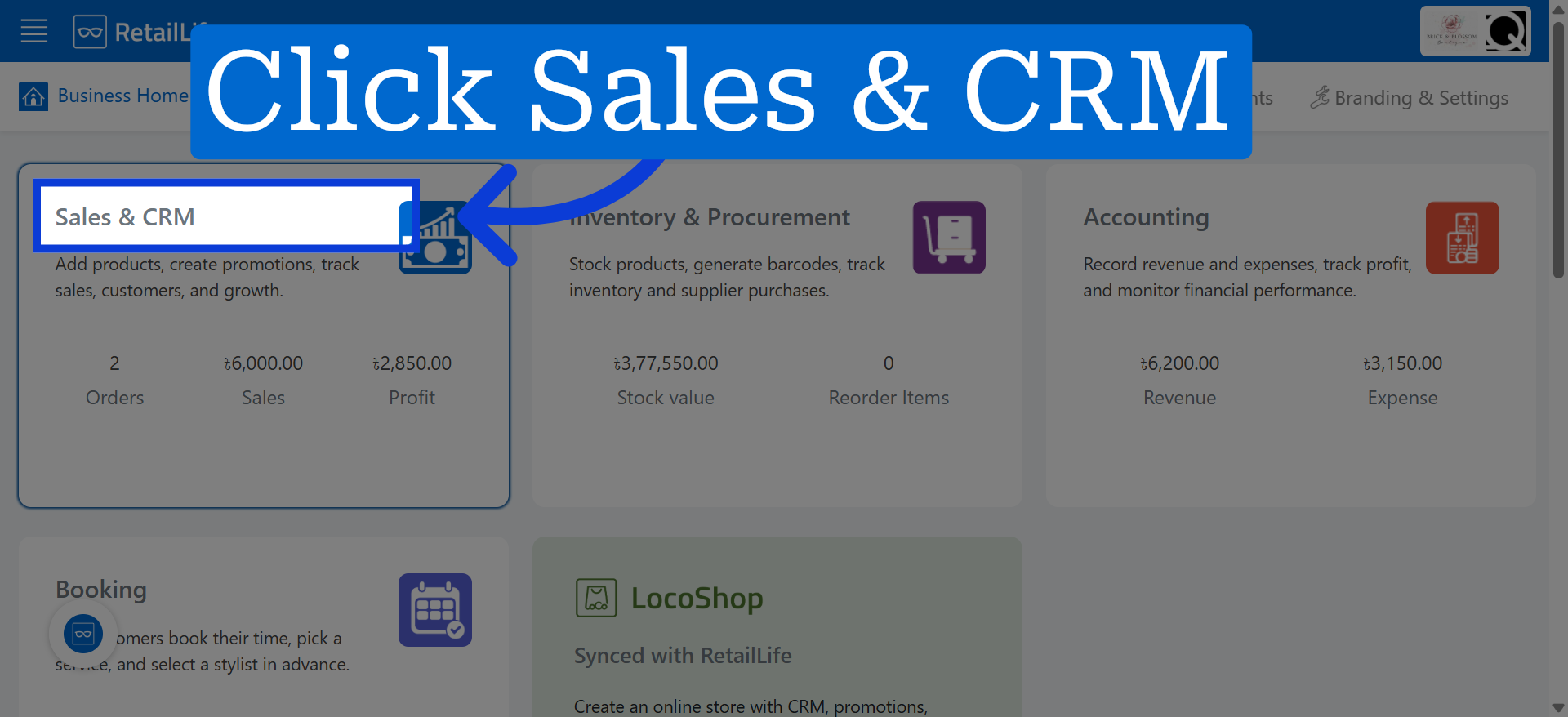
1. Access Sales And CRM Module
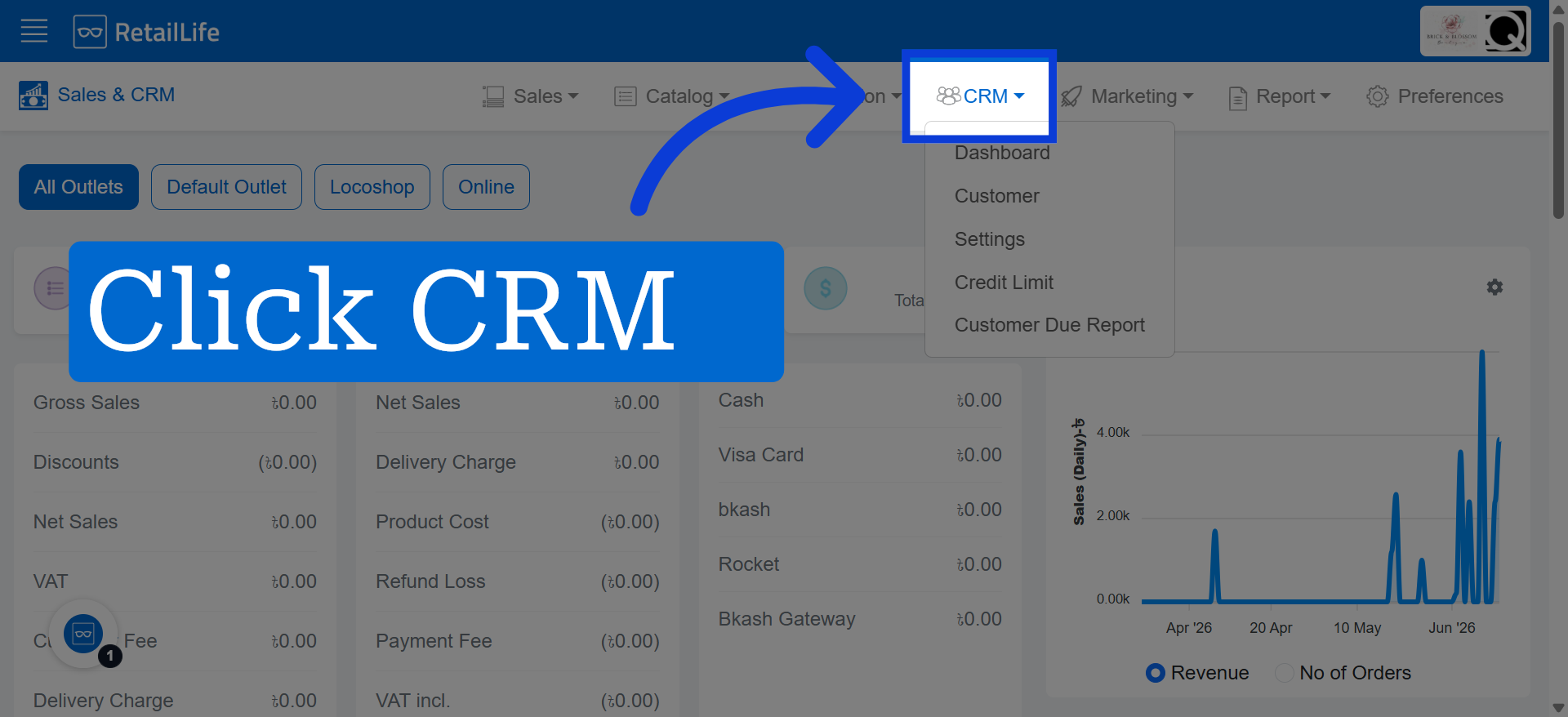
2. Open CRM Module
Click the CRM module to manage customer data and interactions effectively.
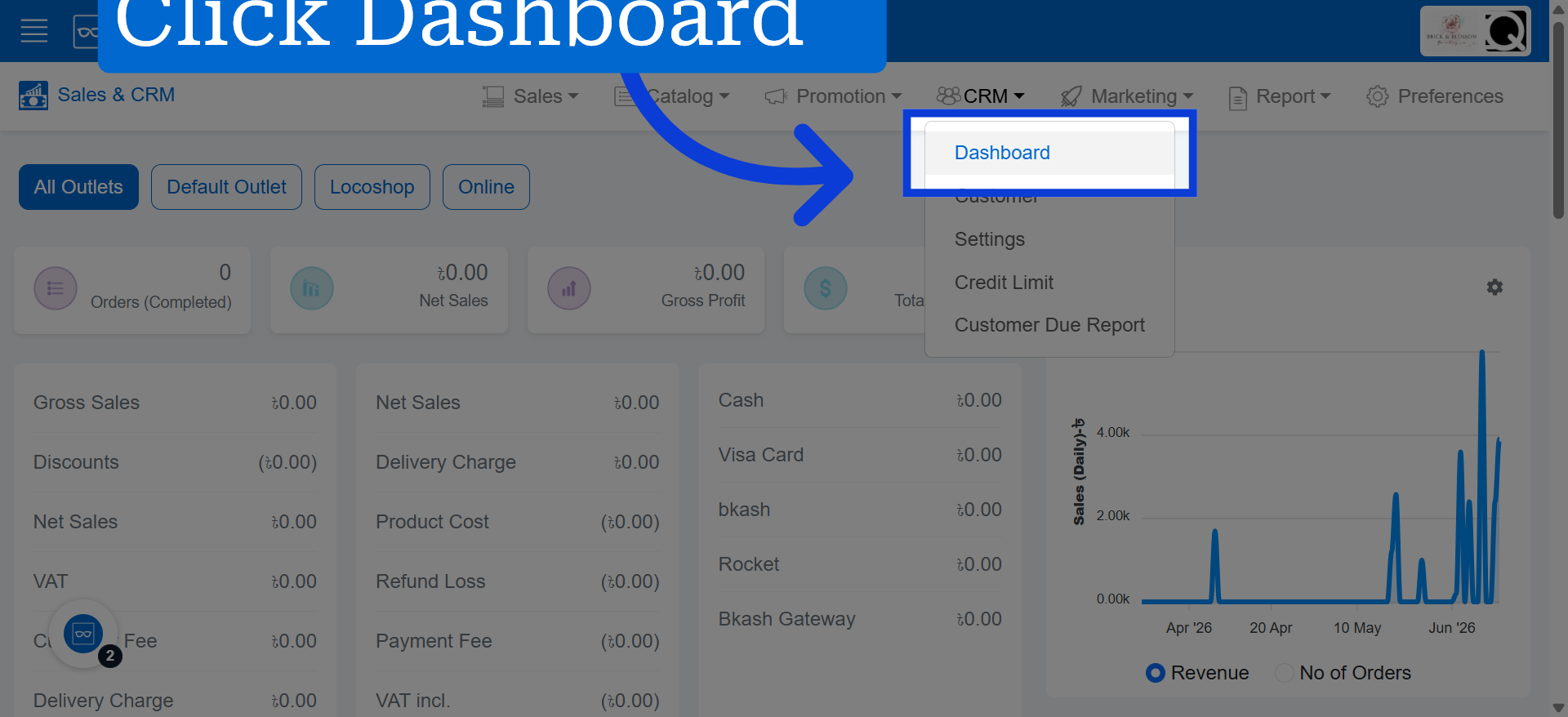
3. Go To Dashboard
4. View Top Customers List